
 |
| Testing New Grid Design Layout On Windows 11 Will Enhance User Experience |
That is, when you click on "All Apps". You will then see the list of all installed apps displayed in the current Start Menu in Windows 11. This list appears as a vertical list. When you have to scroll down to see the complete list of apps, there is a problem in finding the app you need.
This month, Microsoft has introduced many updates on Windows 11. Be it Copilot AI, Microsoft Edge, the addition of a new widgets button. With this new grid design layout, Microsoft aims to arrange app icons in a grid format and better manage screen space. With this, we will see a lot of improvement in user experience because it will give us an experience like the apps available on smartphones or tablets.
The advantage of this grid layout is that it is more organized and visually appealing, and also allows using all the available apps in a sequence without having to scroll again and again. Is. Through this grid layout, you can quickly scan the screen.
Microsoft still has this new Start Menu design in the testing phase, and it is unclear whether they will offer a toggle option to switch between the grid layout and the traditional vertical list. They may also make further adjustments or improvements based on user feedbackDrag-and-Dropop File Feature on File Explorer in Windows 11
Apart from this, Microsoft is also testing other enhancements for File Explorer. This will allow you to drag and drop files, that too with the help of a mouse, and possibly also integrate the CoPilot feature into the Start Menu. These changes seem to be an attempt by Microsoft to bring features to the upcoming Windows 11 version 24h2. So that the overall user experience can be given a better experience. At the same time, the Windows operating system can be kept new and innovative. We can see this before the end of this year.
This month, Microsoft has introduced many updates on Windows 11. Be it Copilot AI, Microsoft Edge, the addition of a new widgets button. With this new grid design layout, Microsoft aims to arrange app icons in a grid format and better manage screen space. With this, we will see a lot of improvement in user experience because it will give us an experience like the apps available on smartphones or tablets.
The advantage of this grid layout is that it is more organized and visually appealing, and also allows using all the available apps in a sequence without having to scroll again and again. Is. Through this grid layout, you can quickly scan the screen.
Microsoft still has this new Start Menu design in the testing phase, and it is unclear whether they will offer a toggle option to switch between the grid layout and the traditional vertical list. They may also make further adjustments or improvements based on user feedbackDrag-and-Dropop File Feature on File Explorer in Windows 11
Apart from this, Microsoft is also testing other enhancements for File Explorer. This will allow you to drag and drop files, that too with the help of a mouse, and possibly also integrate the CoPilot feature into the Start Menu. These changes seem to be an attempt by Microsoft to bring features to the upcoming Windows 11 version 24h2. So that the overall user experience can be given a better experience. At the same time, the Windows operating system can be kept new and innovative. We can see this before the end of this year.
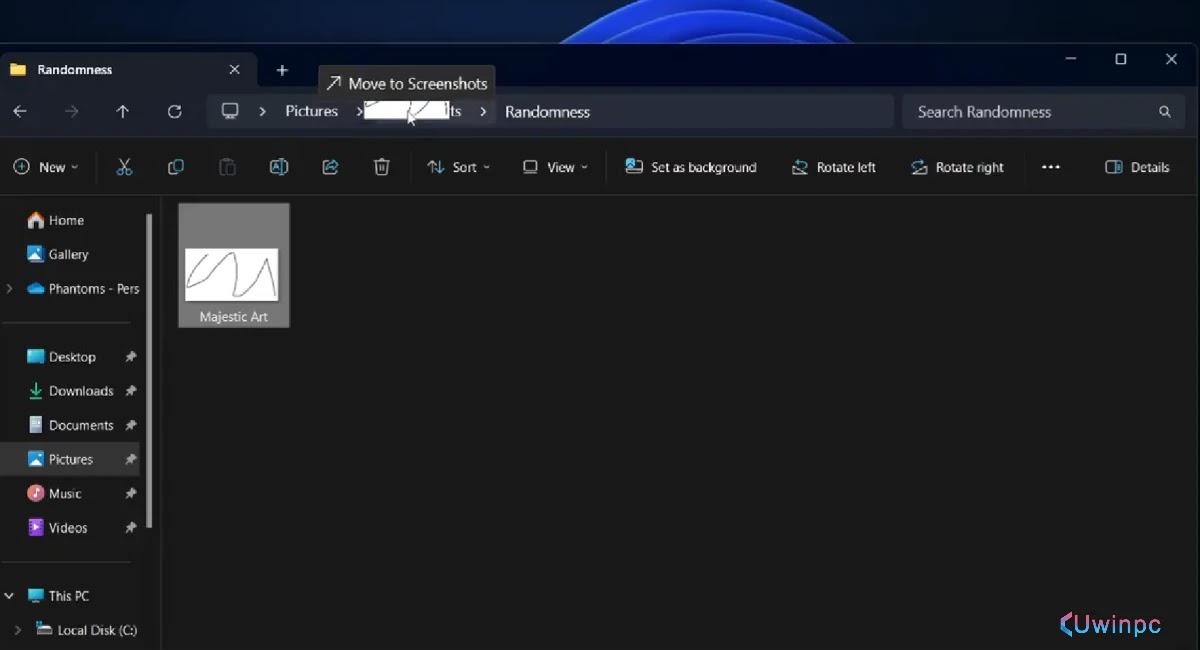 |
| Drag-and-Drop File Feature on File Explorer in Windows 11 |